Error Trying to Open Photoshop

x1xBladex1x

Member
Photoshop used to work perfectly fine on my computer, but then starting one day every time I try to open it, I get an error & it closes out. Idk why it doesn't work now, so I was wondering if anyone could help me figure out why it keeps doing this.

I've already tried uninstalling & re-installing it, but that doesn't help any...


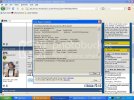
Here's a screen shot of what happens:

[hide]
untitled.avif
[/hide]
 
You see where it says "To see what data this error report contains..." and then the link? Click on the link, and post a screencap of what shows up there.

My guess is that you might have gotten a bug on your comp that's preventing it from working properly, so you might also want to do a virus scan just to be on the safe side.
 
If you can remember back to exactly when it stopped working, did you install any other programs right around that time? You may want to uninstall it again, and delete any Photoshop related folders that are left behind. I dunno if that'd fix it, but maybe?

You're running Win XP, right?
 
@JFC: There was also another link to click, so I did screen shots of them both. I'll try the virus scan as well.

ss:
[hide]
errorlink.avif

ErrorLink2.avif
[/hide]


@Algo: I've completely wiped it out & downloaded back.. It still does the same. I don't remember downloading anything around the time it quit. I'm using XP.
 
Hmmmm...unfortunately I don't see anything that jumps out as indicating what the problem could be. You might have to call up Adobe's tech support line for this one.
 

how to help support popgeeks, popgeeks, pop geeks

Latest News & Videos

Latest News

Back
Top